Game Programming Patterns by Robert Nystrom. В книге рассматриваются различные шаблоны проектирования, применительно к геймдеву. Это не что-то новое, а просто удобная подборка с примерами и доступным описанием. Крайне рекомендую к прочтению, читается и воспринимается книга легко.
Краткий список шаблонов, которые рассмотрены в книге: Command, Flyweight, Observer, Prototype, Singleton, State, Component, Event Queue и прочее.
На английском языке книга доступна в разных форматах на сайте автора. Есть и исходники, и переводы на русский язык.
Английская версия (оригинал) в различных форматах, включая бумажный вариант
Worms Zone – a game about worms, or slither.io on steroids
At first, I didn’t even think of making a game. I just wanted to try implementing smooth worm movement – where the segments don’t follow the exact path given by the player, but behave more naturally. Yes, it’s a bit more complex and requires more calculations, but the movement looks much nicer and more interesting. My first tests were done in a Java-like language using Processing. After about an hour, I had a working prototype – a project on GitHub.
Watching the worms eat “apples” in my prototype, I decided to move forward with developing a full-fledged game.
I first rewrote the worm movement algorithm in C++ and then began refining it. The most important part was to pass the “coiling test” – when a player curls the worm into the smallest possible loop. Most games of this kind fail here: the worm’s tail stops moving, and only the head and a few segments follow, which looks awful.
Once I had an algorithm that passed the coiling test, I ran into a new issue: long worms had many “invisible” segments hidden behind others on the screen. Time to refine the algorithm – the tail still follows the head, but the number of visible and calculated segments decreases. When the worm moves straight again, the segment count returns to normal.
Then came the small details: when boosting, the worm should lose mass, becoming shorter and thinner. When moving normally and eating goodies, the worm should grow in both length and width. These details turned out trickier than they seemed at first – always a nuance, and here there were many 🙂
Game development and gameplay evolution
Worm bots were added to the arena, and their AI gradually improved. The first versions of the AI were, frankly, terrible. Now the bots are much smarter – and sometimes even cheeky.
I experimented with the interface. Unfortunately, I’m no designer or artist, so the result is what it is.
Gradually, support for different platforms was added – iOS, Apple TV, Android, Android TV, Web, Linux, Facebook Instant Games, OK, VK, and more. Since development was done on macOS, that was the first platform the game worked on.
I implemented multiple control schemes – mouse, remote control, gamepad, keyboard.
Gameplay evolved with new power-ups: a temporary worm extender; a radar showing other worms on the map; and a 5x multiplier for rapid growth and score boosts.
Balancing gameplay is still ongoing. I haven’t yet found the ideal parameters for arena size and maximum worm count; worm growth and weight loss rates; and the cost of skins and customization.
Over time, the game accumulated various features. Skins with textures were added, and I wrote a simple Photoshop plugin to make textured skins easier to create. It was very basic – it automated only a small part of the process, so some steps still had to be done manually.
A few technical details
All sprites (UI, skin elements, effects, power-ups) are stored as separate files. During the resource build stage, atlases and descriptions are generated – all done via the console. Yes, I love the console. The atlas packer, of course, is my own.
I also wrote a simple shader implementing a “circular indicator” to show remaining power-up time. I based it on one of my older shaders available on ShaderToy. Nothing fancy – it could have been done without it.
The game supports multiple languages: English, Russian, French, Spanish, Vietnamese. Adding a new language is no problem — you just need to order a translation. The game uses the free Google Noto TTF font, which contains glyphs for many languages, and the required character atlas is generated at runtime.
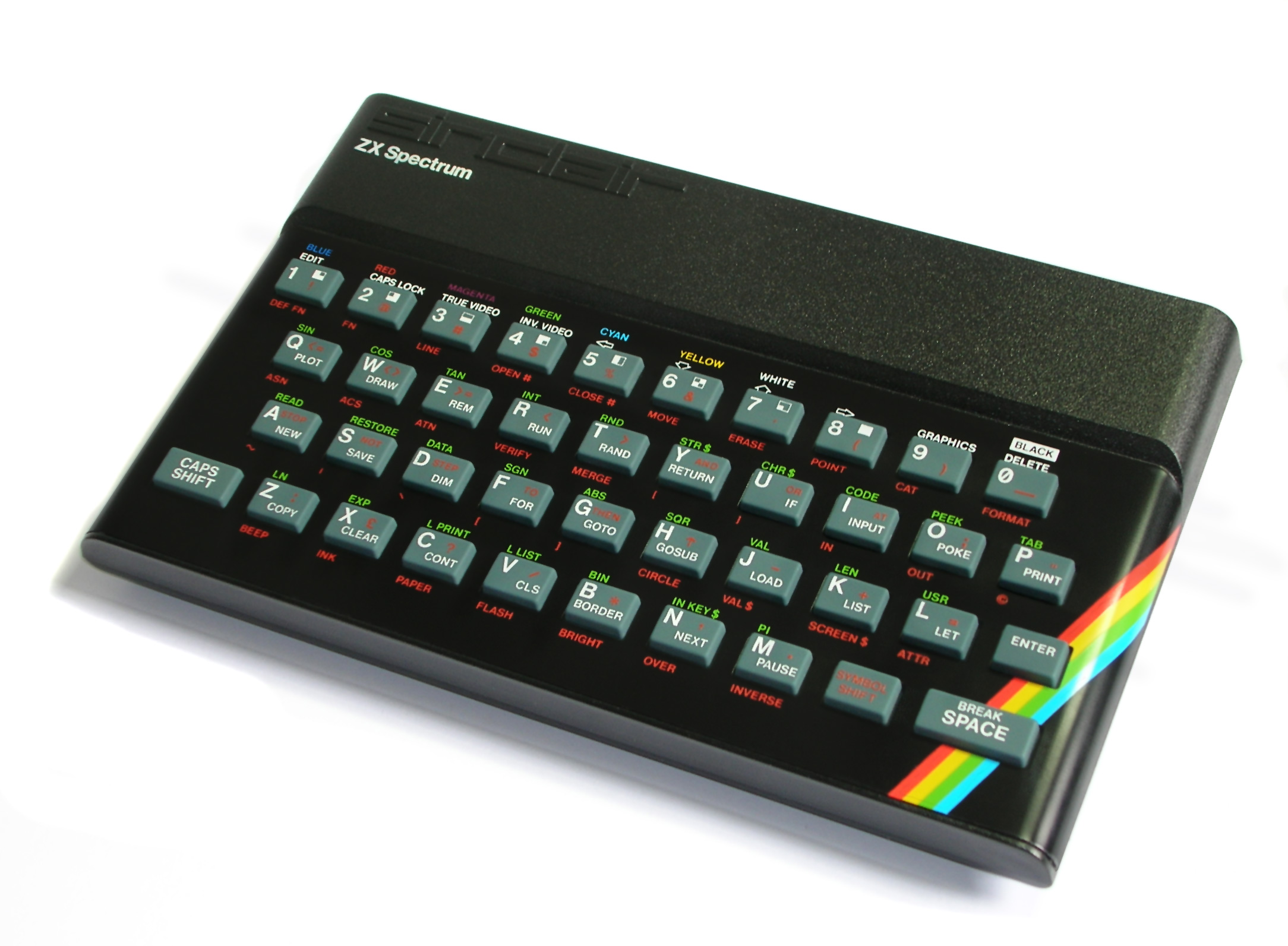
Весьма занимательное чтиво об истории становления компьютера ZX-Spectrum, Клайве Синклере и компании Sinclair Research.
Не все то золото, что блестит.
Цветной, с полноценной клавиатурой, дешевый
К декабрю 1981 года количество проданных ZX81 превысило 250 тысяч. На волне этого успеха, как пена, всплыли недостатки, свойственные полукалькулятору-полукомпьютеру, которым, по сути, и являлся ZX81. Прежде всего, это было отсутствие цветной графики и недостаточный даже по меркам 1981 года объем ОЗУ (RAM). И если недостаток памяти компенсировался низкой ценой и возможностью «прилепить» дополнительные килобайты в виде коробочки RAM Pack, то отсутствие цвета было для ZX81 неисправимо.
ZX-Spectrum 48
В начале 80-х годов в Великобритании больше половины выпускаемых и импортируемых телевизоров — цветные. В Америке аналогичные показатели достигали 80%. Черно-белый компьютер, подключенный к цветному телевизору, выглядел «инвалидом». И хотя на витринах компьютерных магазинов уже красовались цветные Apple, Commodore и Acorn, сделать очередной ZX цветным было очень непросто.
По аналогии с предыдущими моделями, в качестве монитора предполагалось использовать телевизор. Только теперь вместо черно-белой картинки (ZX80, ZX81) нужно было передавать цветную. Сложность состояла в формировании качественного видеосигнала в стандарте PAL. Далее сигнал преобразовывался в высокочастотный (UHF). Это позволяло подсоединить телевизор через антенный (UHF) вход. Добиться качественного изображения было непросто, но такое решение давало максимально простое подключение.
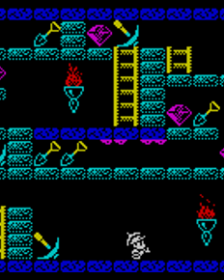
This is my version of the game King’s Valley for the ZX-Spectrum, which I wrote back in my school years. The game is not a clone of the original MSX title but rather inspired by it. The main character was copied pixel by pixel from King’s Valley 2 with the help of graph paper, a few keen eyes, and a pencil, thanks to my friend Yevgeny Yanushkevich. My brother Ilya and my friend Yevgeny also helped me design the levels. All the development of the game and its resources was done entirely on the ZX-Spectrum.
In the video, there’s quite a serious player – completing the game in just two hours.
In fact, the game turned into quite a long-term project, stretching out, if I remember correctly, for about a year. It was written right after I lost the disks with the source code of my previous game – a port of Knightmare from the MSX.
The game can be found in the World of Spectrum archive and on other sites.
Strangely enough, World of Spectrum claims that the game was released in 1994. That doesn’t quite match reality, since that was already my third year at the Academy, while I had actually written the game back in school.
To this day, I continue working on reviving the game for mobile devices (iOS, Android), TV set-top boxes (Apple TV, Android TV), desktop platforms (Linux, macOS), and the web. But I’m doing this VERY slowly – sometimes putting development aside altogether, and sometimes spending just a few hours a month on it.
Статья «Как заставить неправильный код выглядеть неправильно», поясняет в чем отличие Венгерской для Приложений (Apps Hungarian) от Системной Венгерской. Я давно перестал использовать Венгерскую нотацию, которая на самом деле была Системной Венгерской. Но только сейчас понял, почему мне она казалась несколько странной.
Системная Венгерская
char szVar[]; // ясен только тип переменной, но не ее назначение
unsigned long ulVar; // аналогично
Венгерская для Приложений
float spriteWidth; // ширина спрайта
int currentPage; // индекс текущей страницы
Более подробно написано в статье и в ссылках в конце статьи.
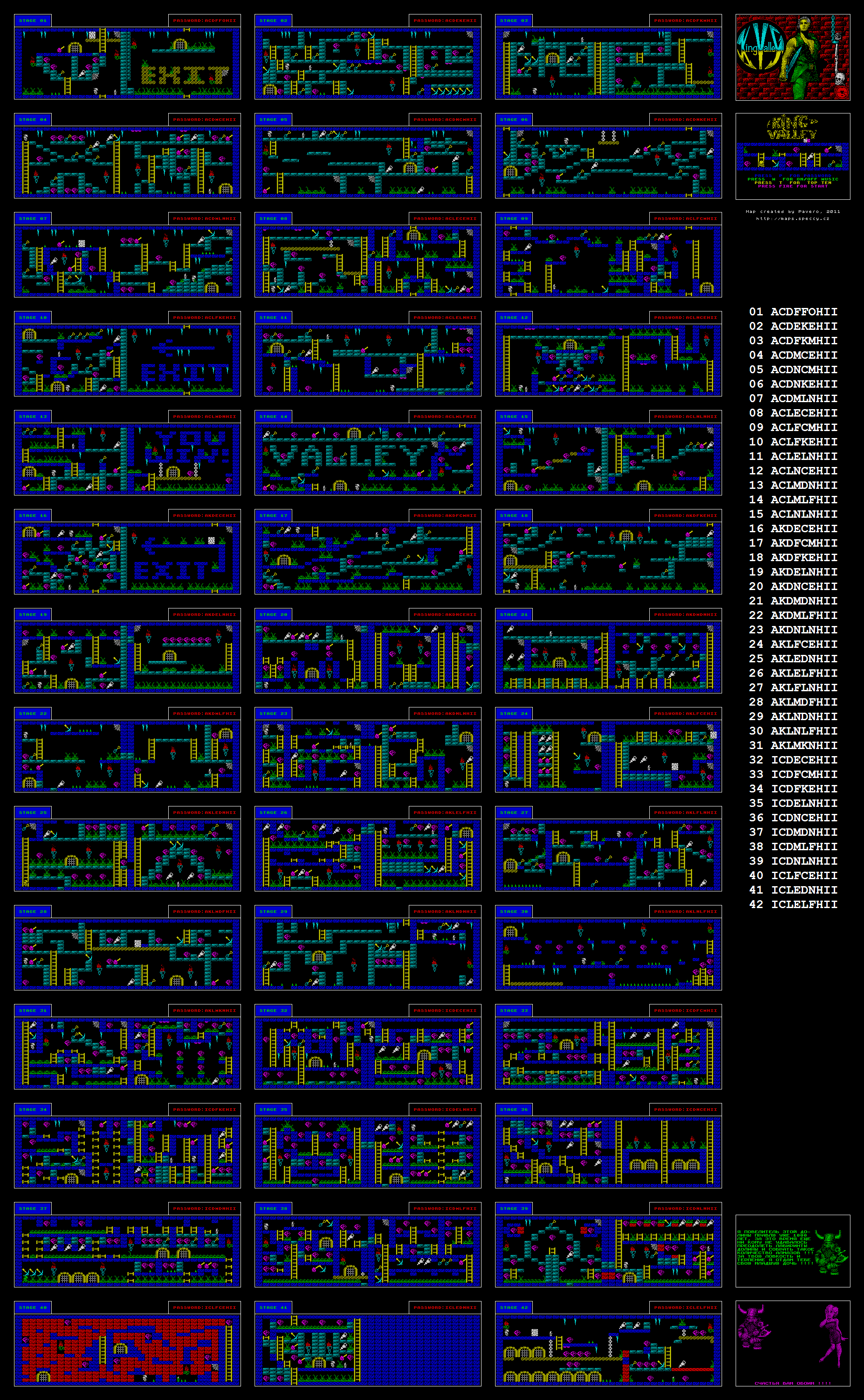
Speccy Screenshot Maps – на сайте размещено более 1100 карт из игр для ZX-Spectrum. Владелец ресурса так же написал утилиту, которая позволяет делать снимки экрана игры в эмуляторе, и утилиту, которая склеит эти снимки в одну большую карту.
King Valley levels map
Manage Consent
To provide the best experiences, we use technologies like cookies to store and/or access device information. Consenting to these technologies will allow us to process data such as browsing behavior or unique IDs on this site. Not consenting or withdrawing consent, may adversely affect certain features and functions.
Functional
Always active
The technical storage or access is strictly necessary for the legitimate purpose of enabling the use of a specific service explicitly requested by the subscriber or user, or for the sole purpose of carrying out the transmission of a communication over an electronic communications network.
Preferences
The technical storage or access is necessary for the legitimate purpose of storing preferences that are not requested by the subscriber or user.
Statistics
The technical storage or access that is used exclusively for statistical purposes.The technical storage or access that is used exclusively for anonymous statistical purposes. Without a subpoena, voluntary compliance on the part of your Internet Service Provider, or additional records from a third party, information stored or retrieved for this purpose alone cannot usually be used to identify you.
Marketing
The technical storage or access is required to create user profiles to send advertising, or to track the user on a website or across several websites for similar marketing purposes.